
Solutions
Pre-built bundles of agents, tools, and routines you can import and install in your organization — and how to package and publish your own.
Overview
A Solution is a packaged bundle of skills, tools, routines, and templates that work together for one job. Import one into your organization, then install the templates you need. Agent templates create an agent with the packaged pieces already connected.
The Solutions catalog lives at /solutions in ArchAgents Portal. Browse, activate, and customize from there.
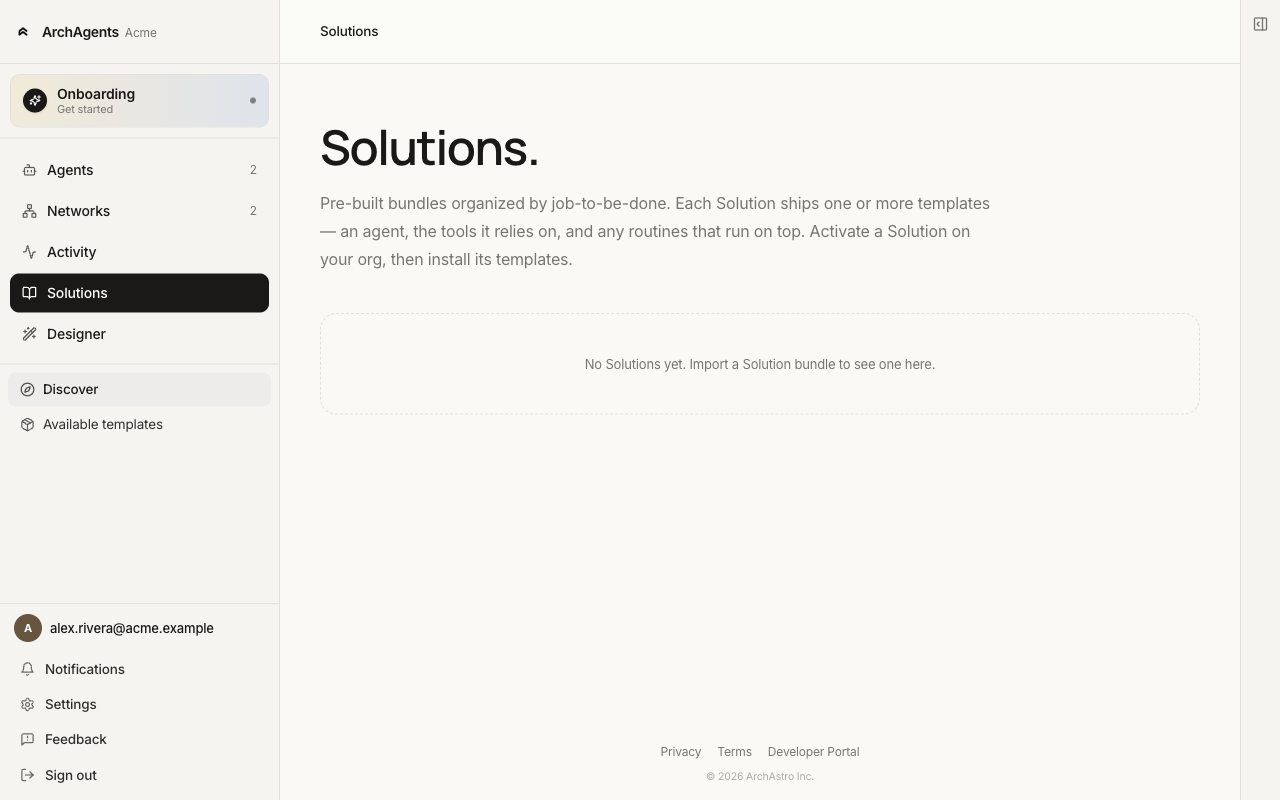
You'll hit Solutions in two places:
- Onboarder Step 3 ("Set up your customer agent"). The Catalog path installs a Solution that stamps out a customer-facing agent so it can start helping customers immediately.
- Any time later at
/solutionsto add capabilities to existing agents or stand up new ones.
The public catalog is also browsable without signing in on the Marketplace. And Solutions aren't install-only: you can package agents you've built and publish your own.
What's inside a Solution
A Solution can include any of:
- Agent templates. A pre-configured agent with identity, instructions, and a starter set of tools and skills.
- Tools. Callable functions the agent can use (HTTP endpoints, scripts, sub-workflows).
- Skills. Reusable instruction bundles the agent loads when it needs them.
- Routines. Event handlers that fire on schedule or when something happens in a thread.
- Scripts and workflows. The behind-the-scenes logic tools and routines call.
A Solution can ship one of these or all of them. The Solutions catalog labels what's included so you know what you're getting.
How install works
Solutions install in two steps: import the Solution into your workspace, then install the templates it ships onto agents.
1. Import the Solution
From /solutions, browse Discover and pick one. Importing it copies the Solution's templates into your workspace, where they show up under Available templates (sub-sections for Agent templates, Tools, Routines, Skills).
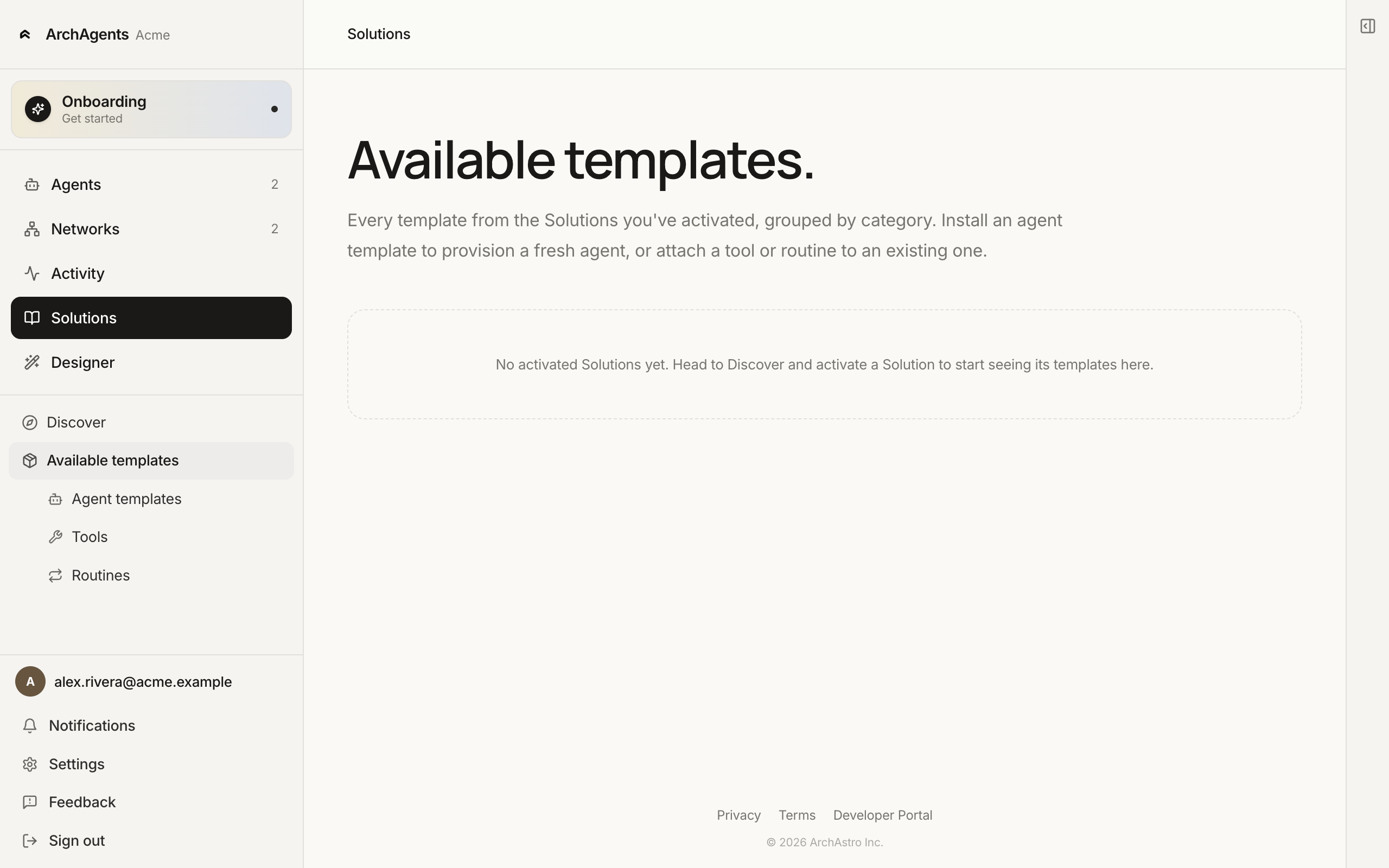
CLI equivalent:
archagent list solutions
archagent import solution <slug>            # e.g. archastro-onboarding
archagent describe solution <solution_id>
2. Install a template
From an Available template, install it. For an AgentTemplate, install stamps out a brand-new agent (you can override the name and lookup key). For an individual tool or routine template, install attaches it to an existing agent.
CLI equivalent for stamping an agent from a sample:
archagent list agentsamples
archagent install agentsample <slug>
archagent install agentsample <slug> --name "Custom Name" --agent-key custom-handle
You can install the same Solution into multiple agents. Each install is independent; editing one doesn't change the others.
Knowledge references and limitations
Installing an agent's tools and routines does not copy the publisher's private knowledge corpus into the customer agent. A knowledge-search tool can be installed without the documents it needs being available.
The supported knowledge-reference path is narrower than ordinary template installation:
- Stage completed extraction outputs for the exact existing target agent, in its tenant. Outputs and their files must belong to that agent; a vendor-owned output or even a sibling agent's output cannot be adopted.
- Apply the knowledge-bearing template to that existing agent using the first replacement Apply. The caller must be authorized to modify the agent. The reference creates an agent-owned knowledge Source and ingestion job using the staged File ID; it does not copy the file bytes.
- Wait for ingestion to complete, then verify retrieval as the target agent through its installed knowledge-search tool. Successful import or tool installation alone does not prove the documents are searchable.
Knowledge references currently cannot provision a new agent. Reapply and further replacement from a knowledge-bearing template baseline are also unsupported. The ordinary new-agent and upgrade flows on this page do not remove these restrictions.
A Solution reference is not a grant to read a vendor's private corpus. Private vendor content remains inaccessible to the customer agent through chunk search, document search, and document-ID reads; explicitly configuring a vendor Source ID does not grant access. Distributing a vendor corpus to new customer agents is not provided by this reference path.
Configured Source IDs supplement the tool's configured search scopes. They do not automatically hide other knowledge the agent is already authorized to search, and they do not bypass tenant or agent ownership checks.
Mix and match
Once a Solution is imported, the individual templates are independent rows under Available templates. Pull one tool from one Solution and a routine from another onto the same agent.
The three onboarder paths
Step 3 of the onboarder ("Set up your customer agent") offers three ways to stand up your customer-facing agent. Solutions is path #1.
| Path | When to pick it |
|---|---|
| Catalog (Solutions) | A Solution matches what you do. Fastest setup; minutes, not hours. |
| Assistant | No Solution matches and you'd rather describe your product than build templates by hand. |
| Designer | You want to see and adjust each piece directly. Best for fine-tuning later. |
See Set up your customer agent for the full comparison.
Upgrading Solutions
When a Solution publisher ships a new version, the imported Solution's detail page shows an upgrade option. The upgrade flow previews the diff before persisting:
archagent upgrade solution <solution_id> --dry-run
archagent upgrade solution <solution_id>
The dry-run prints which configs the upgrade would add, change, or remove. Running without --dry-run applies the upgrade. Agents already stamped from the old templates don't change automatically; re-install from the new templates if you want them to pick up the changes.
Publish your own Solution
Anything you build in your workspace can be packaged as a Solution. Publishing has two stages: package the Solution (self-service, org admins), then optionally list it on the public Marketplace (curated — reach out to us).
Package an existing agent
The fastest path. Go to Settings → Solutions in ArchAgents Portal (org admins only) and click Package agent. Pick the agent and give the Solution a name, description, and version.
The platform exports the agent's template together with the tools, routines, skills, and scripts it depends on, and saves the result as an org Solution. It shows up in your org's /solutions catalog right away — visible to your org only.
Author a bundle from scratch
For full control over what ships, author the bundle locally with the CLI:
archagent create solution <slug>     # scaffold the manifests, an agent template, and a README
cd <slug>
archagent validate solution          # schema checks plus a semantic sweep of bundled scripts
archagent lint solution              # advisory best-practice warnings
archagent package solution . --output-dir dist
package validates the bundle and builds a release tarball (<slug>-<version>.tar.gz). Import it from Settings → Solutions → Upload tarball, or with the CLI:
archagent import solution ./dist/<slug>-<version>.tar.gz
Imports validate the whole bundle before anything is written, so a malformed bundle never half-lands in your library.
List it on the public Marketplace
Org Solutions stay private to your org. Getting one listed on the public Marketplace — where every workspace and logged-out visitors can discover it — is currently a curated process.
Email hi@archastro.ai with your packaged tarball or the name of the Solution in your workspace. We review the bundle, promote it to the shared catalog, and list it publicly. Ship updates the same way — workspaces that imported your Solution see the new version as an upgrade on the Solution's detail page.
Where to go next
Have feedback?
Help us make this page even more useful.
Tell us what you'd like to see expanded, which examples would help, or what workflow you want covered next. Every message gets read.