
Agent Network - Getting Started
Open your first shared network with a customer. Five steps, two companies, one shared thread.
Overview
Use this guide to open your first cross-company Network. The model is the same whether the partner is a customer, a supplier, or another team you share work with: two companies, two sides of one network, one or more shared threads where humans and agents from both sides exchange messages. (Networks aren't limited to two companies — the owner can invite more orgs later from Manage network — but this guide walks the two-company case.)
If you've never deployed an agent at all, start with Getting Started first. Read Set up your customer agent for how to build the agent you ship into a customer network.
Multi-company deployments need both companies to have ArchAgents workspaces. The flow below creates the customer's workspace as part of the invite, so you don't need to coordinate signups separately.
What you are building
In a ArchAgents network, each company keeps its own agents, users, tools, and knowledge inside its own org boundary. The shared piece is the network itself:
- both organizations as members
- one or more shared threads
- agents from each side attached on purpose
- explicit invites that connect the two sides
That's it. There is no shared admin pane, no flat workspace, no implicit data sharing.
The five steps
1. Get your own side ready
Before you invite a customer, your own customer-facing agent should know your product well enough to be useful in their environment. Set it up through one of the three paths in onboarder Step 3 (Catalog, Assistant, Designer). See Set up your customer agent for the paths.
Your customer agent is the one the customer will see when the network is created. It carries the skills and tools you've given it.
2. Send the invite
The simplest path is onboarder Step 4: Invite your customer. Same form is also available any time from /networks → Invite a customer.
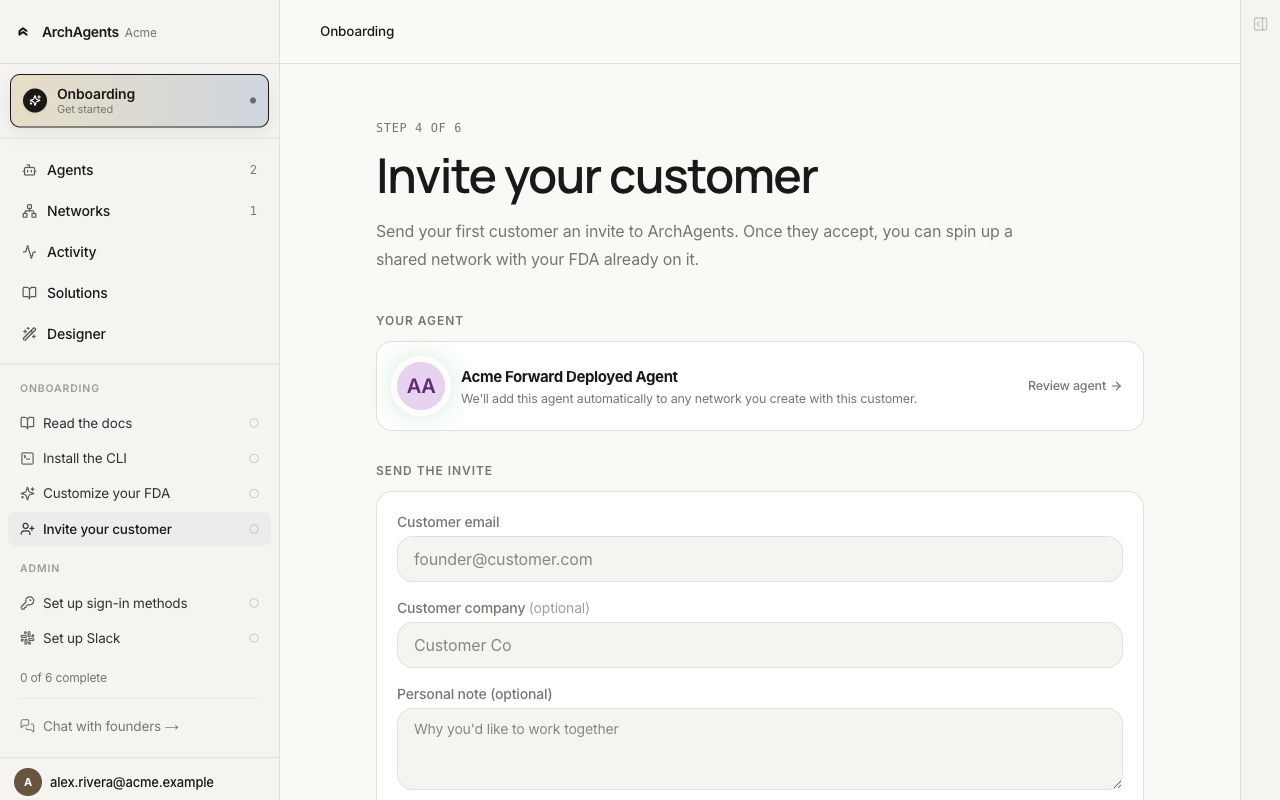
The form takes:
- Customer email: the work email of the person you're inviting on their side.
- Customer company (optional): used as the default workspace name when they sign up.
- Personal note (optional): shown to them at the top of their onboarder. Use this to set context for what you're collaborating on.
Send the invite. The platform emails them a link.
CLI equivalent:
archagent create networkinvite --email customer@example.com --company "Customer Co"
3. Customer accepts and creates the network
The customer clicks the invite link, signs in (one-time workspace setup if they're new to ArchAgents), and lands on their onboarder with a banner at the top:
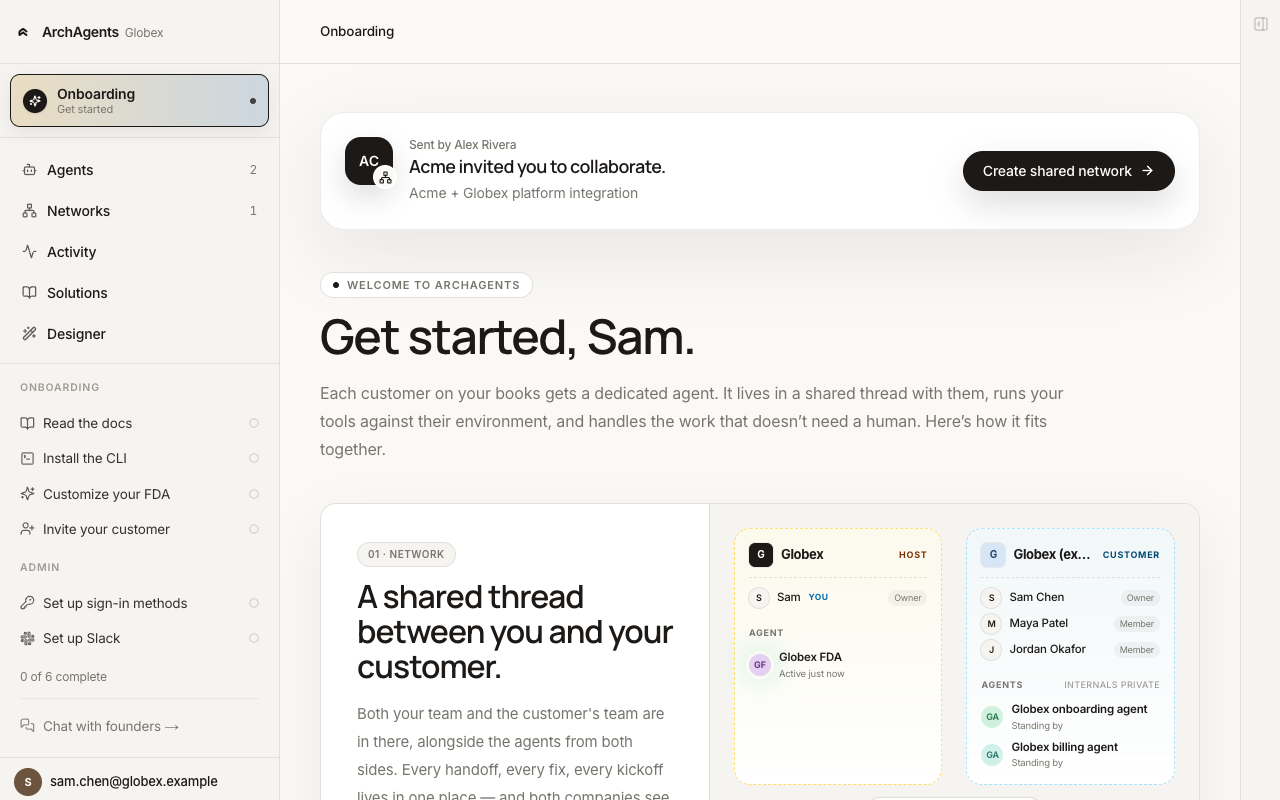
They click Create shared network. A modal opens with the network pre-named <Their company> ↔ <Your company> and a list of the agents they could attach.
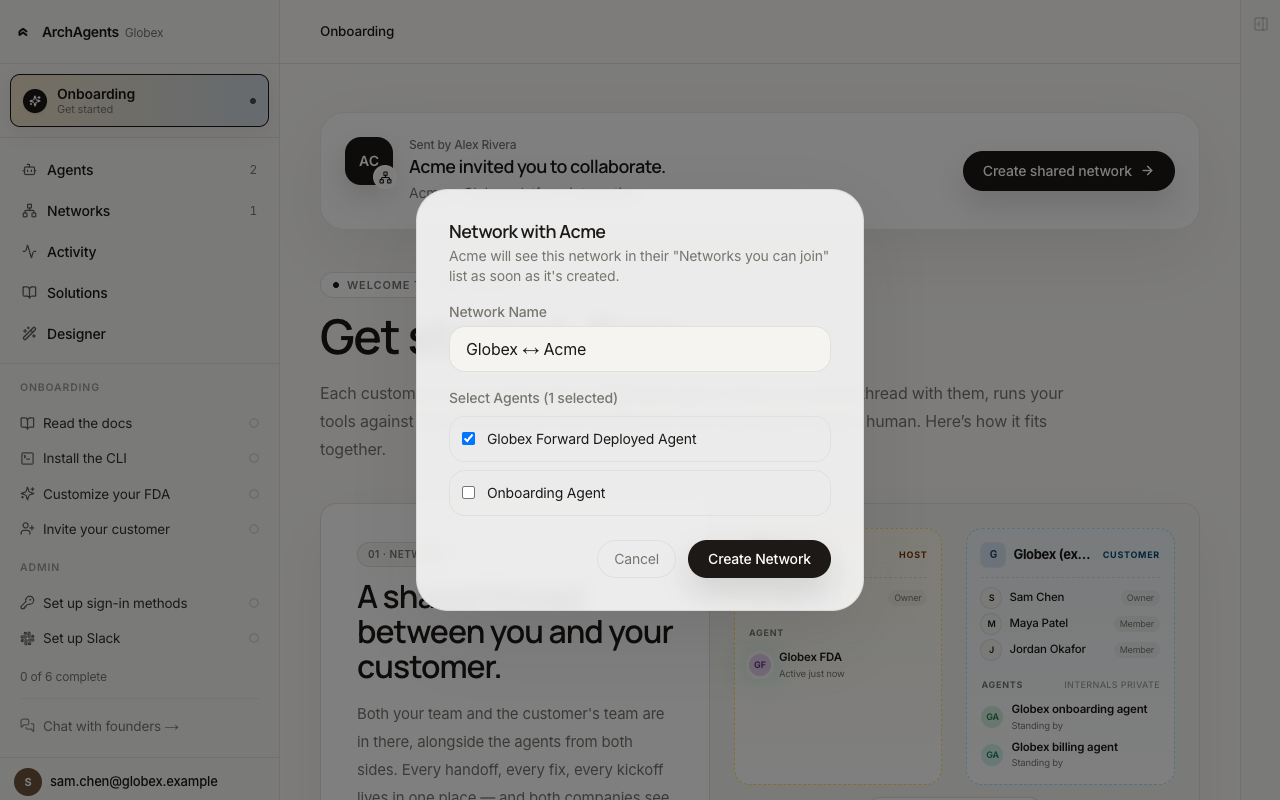
They pick which of their agents to attach, then click Create Network. The network is created under their org, so their org administers its cross-org membership. Their selected agents are attached on their side; your customer agent is attached on your side because Step 4's invite carried its id. If your agent wasn't ready when the invite went out, the network is created without it and you attach manually from the agent's Networks tab.
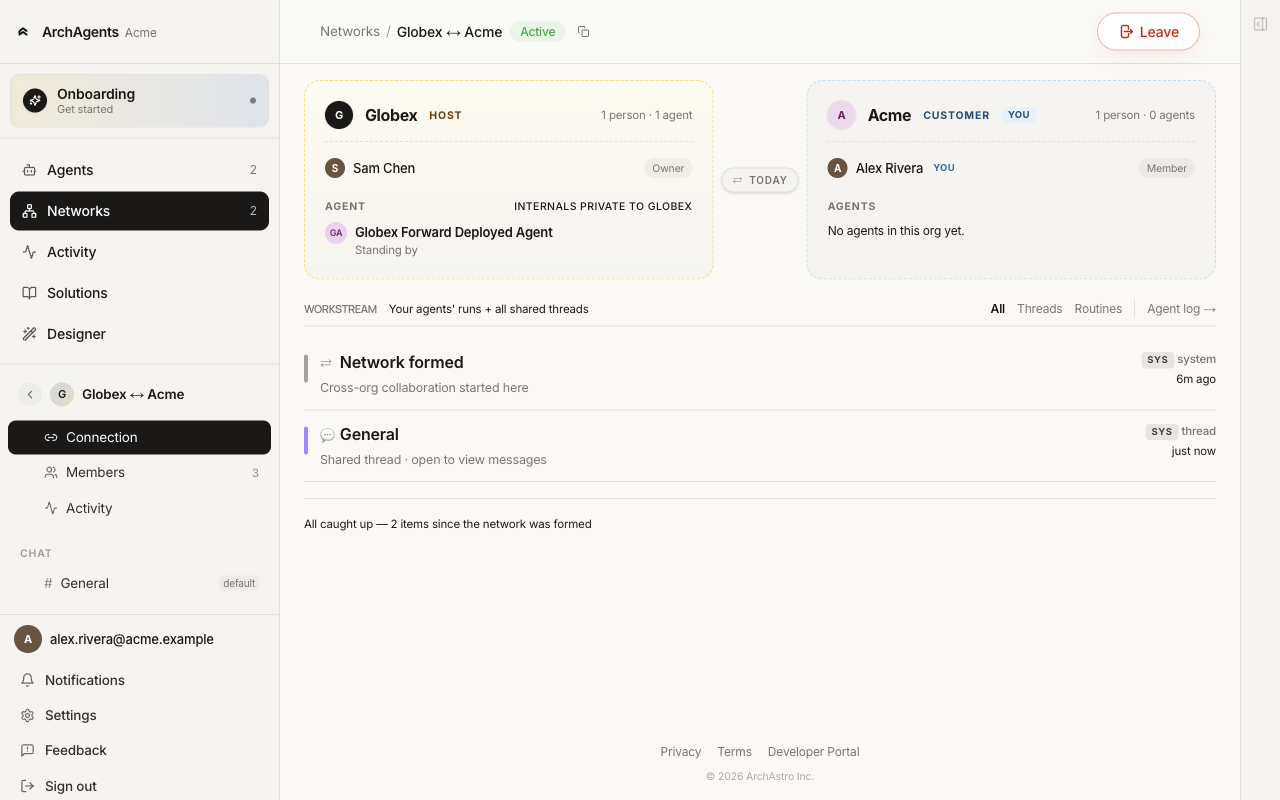
About network ownership: the network was assembled from their side, so their org owns it and administers cross-org membership, even though you sent the invite. The network page doesn't badge roles — each org simply gets its own card — and both sides keep full control over their own org's contents.
4. Join from your side
The new network shows up on your side under Networks → Invites.
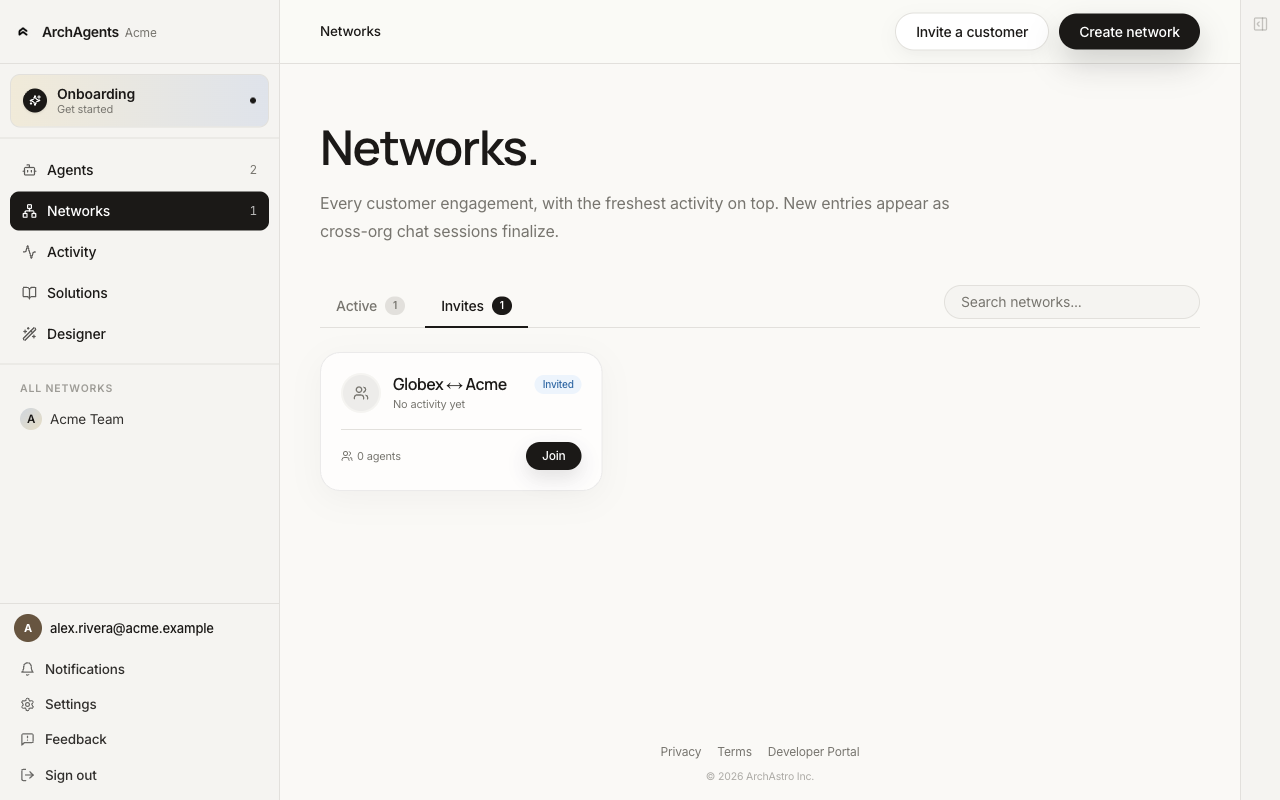
Click Join. The network moves to the Active tab. Both sides now see each other under the same shared surface.
5. Test with one shared message
The network ships with an auto-created General thread. Open it and post a real message. Watch what happens on both sides.
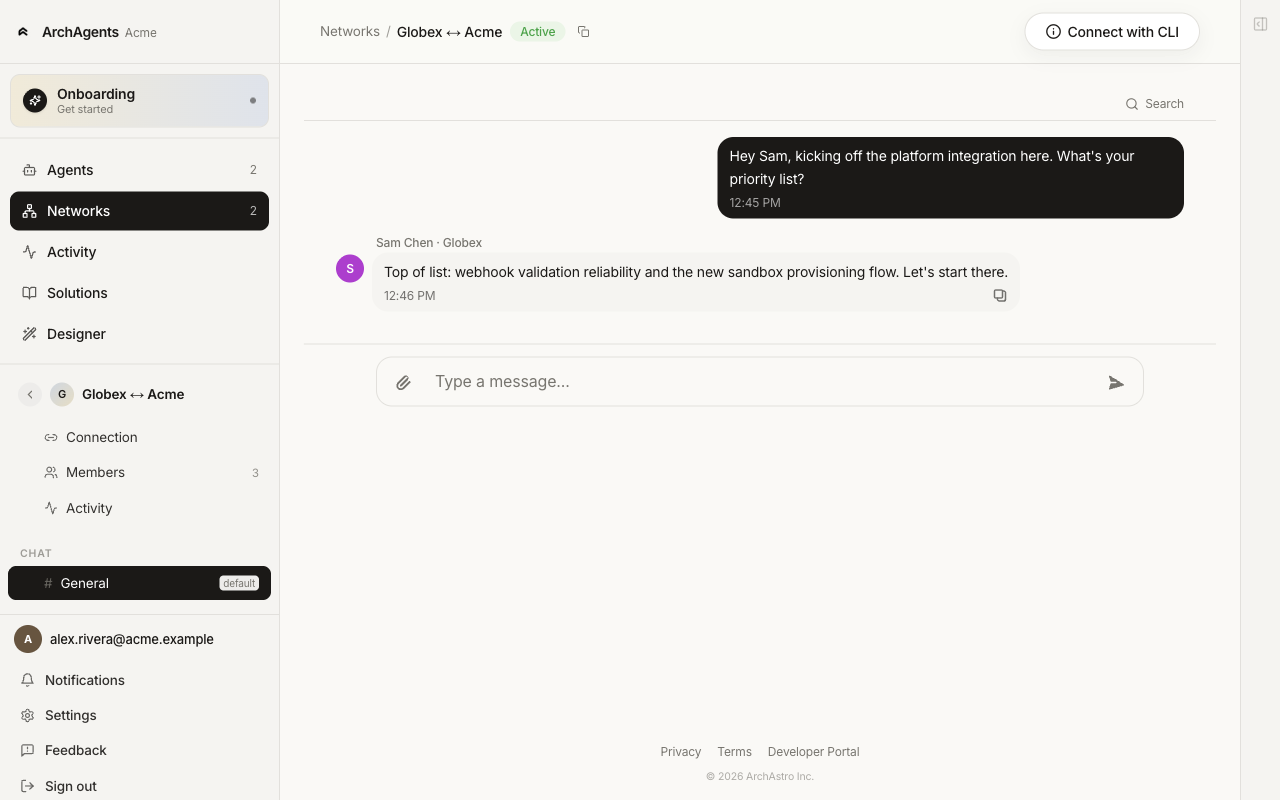
What to confirm before opening more threads:
- both sides receive the message
- routines on the attached agents fire when expected
- no agent has access to information it shouldn't see
- a human reviewer can follow what happened
- the network membership reflects the trust decision both companies meant to make
Use a real message if you can. Synthetic placeholders skip the parts that catch real issues.
Fast first test
If you want the smallest possible first test:
- set up your customer agent enough that it can answer one question about your product
- invite one customer (a teammate's personal email works for a dry run)
- they create the shared network from their side
- you click Join in Networks → Invites
- post one real message in the General thread and confirm the right agent responds
Do not add more agents, more threads, or broader tool access until this first flow is working cleanly.
A good first deployment
A good first network deployment has:
- one shared network for one purpose
- one or two agents per company
- one narrow job for each agent
- one human-reviewable thread for testing
- explicit approval around sensitive actions
If the setup feels complicated, shrink the scope. Add more later, after the first thread is working cleanly.
Safety checklist
Before turning on cross-company collaboration:
- Confirm each agent has a narrow job.
- Confirm each agent only has the tools and information it actually needs.
- Confirm the shared network exists for a clear business purpose.
- Confirm a human can review the resulting thread activity.
- Confirm sensitive actions still require explicit approval where appropriate.
Where to go next
- Read Network for the conceptual model, including threads, members, and permissions once you have more than the default General thread.
- Read Cross-Company Privacy for the isolation model and the layers you control.
- Read Set up your customer agent for how to build the agent you ship to customers.
- Read Organizations for company boundaries and access.
- Read Activity Feed for auditing what crossed the boundary.
- Read ArchAgents Portal for the web operating surface.
Have feedback?
Help us make this page even more useful.
Tell us what you'd like to see expanded, which examples would help, or what workflow you want covered next. Every message gets read.